Unicode to Kruti Dev for Haryana Govt Forms
If you have ever filled out a form on any Haryana government portal — PPP Family ID, ration card updates, land records, or any e-district service — and your Hindi text came out looking like broken symbols or random characters, you are not alone. Thousands of users across Haryana face this exact issue every single day, and the fix is actually much simpler than most people think.
The real culprit? A font mismatch between Unicode and Kruti Dev.
Why Does Hindi Text Break on Government Portals?
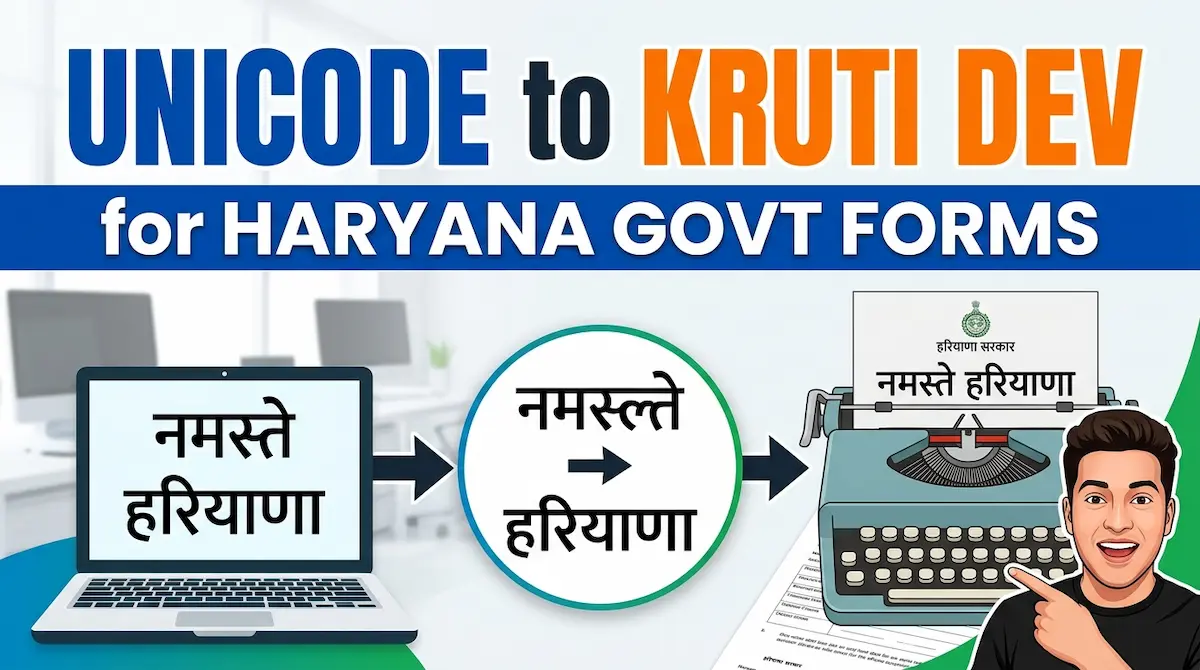
Most people type Hindi on their phones or computers using standard Unicode encoding — the modern, universal system that works on WhatsApp, Google, and every modern app. But a large number of older government systems, especially at the state level, still rely on Kruti Dev — a legacy Hindi font that was dominant in Indian offices through the 1990s and 2000s.
When you copy Unicode Hindi text and paste it into a Kruti Dev-based system, the two encodings clash. The result is unreadable garbage text that gets rejected or causes errors in your official documents.
This is not a user error. It is a system compatibility issue — and one that has a completely free, instant solution.
Who Faces This Problem the Most?
This issue specifically hits:
- Government office staff preparing official letters, circulars, and notices in Hindi
- Common citizens filling Haryana portal forms like PPP (Parivar Pehchan Patra)
- DTP operators and typists working on certificates, affidavits, and legal documents
- Students submitting Hindi assignments that need to be printed in Kruti Dev format
- Journalists and content writers working for Hindi print media that uses legacy Kruti Dev layouts
If you fall into any of these categories, you have probably wasted hours trying to figure out why your perfectly typed Hindi suddenly looks like corrupted data.
The Simple Solution: An Online Converter
You do not need to install any software. You do not need to buy any tool. You do not need to call a technician.
All you need is a reliable online converter. The free tool at Unicode to Kruti Dev does exactly this — you paste your Unicode Hindi text, hit convert, and get clean Kruti Dev output within seconds. No login, no watermarks, no hidden charges.
The conversion is accurate, fast, and works directly in your browser on both mobile and desktop. For someone sitting at a CSC (Common Service Centre) in Haryana helping multiple people per day, this alone saves significant time.
Step-by-Step: How to Use It for Haryana Portal Work
Here is exactly how to get your Hindi text working correctly on any Haryana government portal:
- Step 1 — Type your Hindi content normally using any standard Hindi keyboard or voice input on your phone. This gives you Unicode text.
- Step 2 — Copy the full text you have typed.
- Step 3 — Open the converter, paste your Unicode text into the input box, and click the Convert button.
- Step 4 — Copy the converted Kruti Dev output.
- Step 5 — Paste it into the government form, document, or software that requires Kruti Dev formatting.
That is it. Five steps, zero cost, zero frustration.
Why Kruti Dev Is Still Relevant in 2026
You might wonder — why are we still talking about a font from the 1990s? The answer is simple: government infrastructure takes decades to modernize.
Many state-level departments in Haryana, UP, Rajasthan, and MP still use software built on Kruti Dev because replacing entire systems is expensive and time-consuming. Even today, official certificates, affidavits, and court documents in many districts are printed using Kruti Dev. Until a complete national-level font standardization happens — which is still years away — knowing how to convert between these two systems is a genuinely practical skill.
A Practical Tip for CSC Operators and Office Staff
If you work at a Common Service Centre or in any government office that handles public documents in Hindi, bookmark the Unicode to Kruti Dev converter on every computer in your workspace. Make it the first tab you open in the morning. The number of form rejections, typing errors, and reprinting costs you will avoid is significant.
A lot of senior citizens and rural applicants come to CSC centers for help with Parivar Pehchan Patra updates and ration card corrections. When their Hindi details fail to display correctly, it delays the entire process. Having a reliable converter ready means you can serve more people, more accurately, in less time.
Final Thoughts
Font compatibility is a small technical problem with a very real human impact — especially when it stands between a family and their government benefits. The good news is that the solution exists, it is free, and it takes less than a minute to use.
Next time you run into broken Hindi text on any Haryana government portal or official document, do not panic and do not call an IT person. Just convert it. The tool is right there waiting for you.